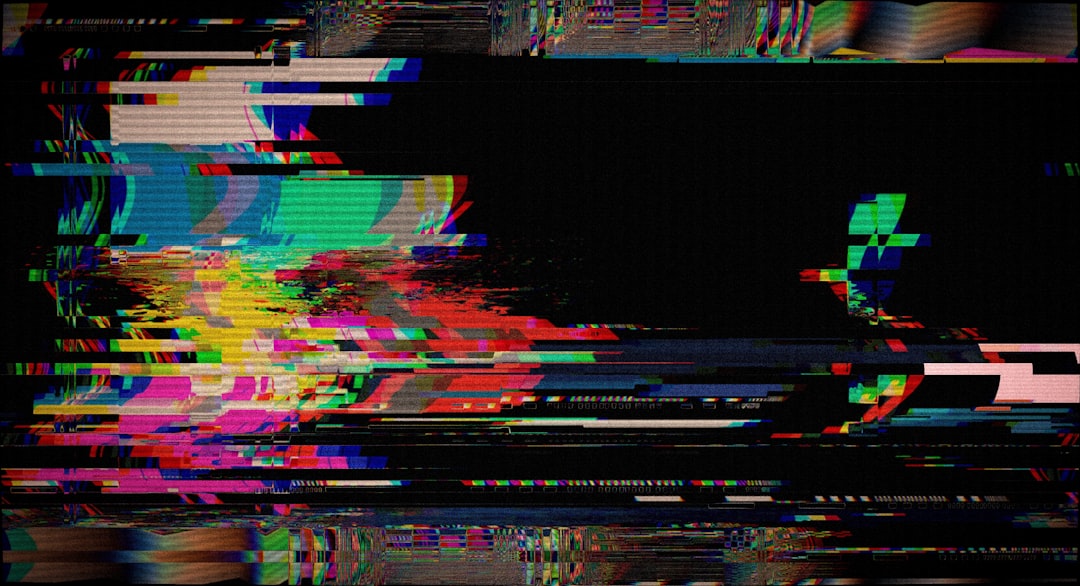
NASA’s mission control bays are the nerve centers of space exploration, where the fate of astronauts and the success of complex scientific endeavors often hinge on the flawless transmission and display of critical data. Among the potential technical hiccups that can plague these high-stakes environments, video errors stand out as particularly disruptive. These anomalies can manifest in a myriad of ways, from pixelated distortions and dropped frames to complete signal loss, each presenting a unique challenge to the diagnostic and corrective efforts of engineering teams. This article will delve into the common causes of video errors within NASA bays, explore the systematic troubleshooting methodologies employed, and outline the best practices for preventing their occurrence, aiming to equip you, the reader, with a comprehensive understanding of this vital aspect of space mission operations.
Understanding the Video Signal Chain: A Multi-Stage Journey
Before dissecting specific errors, it is crucial to comprehend the intricate path a video signal traverses within a NASA bay. Think of this chain as a delicate relay race, where each baton handover, or signal processing stage, presents an opportunity for a misstep.
Capture and Acquisition: The Genesis of the Image
The journey begins with the source of the video. This could be anything from an onboard camera on a spacecraft to a static camera monitoring a vital piece of hardware in the bay itself.
Camera Functionality and Health
Onboard cameras, subjected to the harsh environment of space, can experience degradation. This includes issues with lens clarity due to micrometeoroid impacts, sensor malfunction from radiation exposure, or internal electronic component failure. Terrestrial cameras within the bay might suffer from physical damage or aging components.
Video Encoding and Compression
Raw video data is often enormous. To make it manageable for transmission and display, it is encoded and compressed. This process, while essential, can be a bottleneck or a source of error if the encoding hardware is faulty or if the chosen compression algorithms are too aggressive, leading to loss of fidelity or artifacts.
Transmission: Navigating the Digital Highway
Once captured and encoded, the video signal must travel from its source to the display infrastructure. This involves a complex network of cables, satellite links, or ground-based communication systems.
Signal Integrity and Bandwidth Limitations
The integrity of the video signal is paramount. Any interference, attenuation, or distortion along the transmission path can corrupt the data. Bandwidth limitations are akin to a narrow highway, restricting the amount of data that can flow per unit of time. If the video stream exceeds this capacity, data packets can be dropped, leading to choppy playback or complete signal loss.
Network Latency and Jitter
Latency refers to the delay between the original signal generation and its reception. In video, high latency can result in a noticeable lag between an event occurring and its appearance on screen. Jitter, on the other hand, is the variation in this delay. Both can lead to a disjointed visual experience, making real-time analysis difficult.
Interference and Noise
Electromagnetic interference (EMI) from other electronic equipment, or even environmental factors, can inject noise into the video signal. This noise can manifest as speckles, lines, or color distortions, obscuring the critical information within the video feed.
Processing and Decoding: The Translator’s Task
Upon arrival at the bay, the video signal undergoes processing and decoding to become viewable on monitors. This stage involves translating the encoded data back into a recognizable video format.
Signal Conversion and Scaling
Video signals often arrive in various formats and resolutions. Conversion and scaling processes are necessary to standardize these signals for display on bay monitors. Incorrect scaling can lead to aspect ratio distortions or pixelation.
Decoding Hardware and Software Glitches
The hardware and software responsible for decoding the compressed video can themselves be sources of error. Malfunctioning decoders, outdated drivers, or software bugs can lead to rendering issues, frozen frames, or corrupted video playback.
Display: The Window to the Mission
The final stage is the display of the video on monitors within the control bay. Even at this seemingly simple stage, potential pitfalls exist.
Monitor Functionality and Calibration
Display monitors, like any electronic device, can fail. Issues with backlight, pixel defects, or internal electronics can render a screen unusable. Furthermore, monitors require regular calibration to ensure accurate color reproduction and brightness levels, which are crucial for interpreting subtle visual cues.
Video Wall Interconnects and Control Systems
Modern NASA bays often utilize sophisticated video walls composed of multiple interconnected displays. The systems managing these video walls, including the intricate cabling and control software, can introduce errors if not properly configured or maintained.
Diagnosing the Culprit: A Detective’s Approach to Video Anomalies
When a video error surfaces, a systematic and methodical approach is essential. Panic is the enemy of progress; precision and logic are your allies.
In exploring the intriguing phenomenon of the video error related to the wrench sliding during a NASA operation, one can gain further insights by reading a related article on the subject. This article delves into the technical aspects and implications of such incidents in space missions. For more information, you can visit the article at XFile Findings.
Identifying and Categorizing Video Errors
The first step in troubleshooting is to accurately identify and categorize the type of error. This helps narrow down the potential causes.
Visual Artefacts and Distortions
These are visible imperfections within the video feed that do not necessarily result in a complete loss of signal.
Pixelation and Blockiness
This occurs when the video image appears to be composed of large, distinct squares or blocks. It often indicates a loss of detail due to aggressive compression or a bandwidth issue during transmission or encoding.
Color Shifts and Inaccuracies
The colors displayed on screen deviate from their expected appearance. This can range from a general desaturation to specific color casts (e.g., a blueish or reddish tint). Causes can include faulty color processing hardware, incorrect display settings, or issues with the original capture device.
Ghosting and Motion Blur
Ghosting refers to faint, transparent images of previous frames appearing alongside the current frame, particularly noticeable with moving objects. Excessive motion blur signifies the image is not sharp enough to capture rapid movement clearly. These can be related to camera settings (shutter speed), display refresh rates, or decoding processing delays.
Tearing and Judder
Screen tearing occurs when the display buffer is not synchronized with the video source signal, resulting in horizontal disjunctions within the image. Judder is a stuttering or jerky motion, often seen when displaying content that doesn’t match the display’s refresh rate.
Signal Loss and Intermittency
These errors represent a more severe disruption to the video feed, ranging from temporary dropouts to complete lack of display.
Complete Black Screen or “No Signal” Message
The monitor remains blank or displays a “no signal” indicator, signifying that no video data is being received or processed. This could point to a fundamental break in the signal chain.
Intermittent Dropouts and Freezing
The video feed cuts out for brief periods or freezes entirely on a single frame before resuming. This suggests an unstable connection, a struggling component in the processing pipeline, or a network issue causing packet loss.
Audio/Video Desynchronization
While not strictly a video error, the audio track becomes out of sync with the video. This is a clear indication of processing or transmission delays impacting different data streams unevenly.
The Systematic Troubleshooting Process

Once an error is identified, a structured methodology is applied to systematically pinpoint its origin. This is akin to peeling back layers of an onion, each layer revealing a potential clue.
Initial Checks and Triage
The first responders to a video error will perform a series of rapid checks to rule out the most common and easily remedied issues.
Verifying Physical Connections
The simplest solution is often the correct one. Engineers will meticulously check all cables, connectors, and power supplies to ensure they are securely seated and undamaged. A loose HDMI cable or a frayed power cord can be the culprit.
Restarting and Rebooting Equipment
Many transient glitches can be resolved by simply power cycling the affected devices. This includes cameras, encoders, decoders, and monitors. A reboot can clear temporary memory issues or reset malfunctioning processes.
Isolating the Faulty Component
The process of elimination is critical. If multiple video feeds are operational, the focus narrows to the specific feed that is malfunctioning. If an entire bank of monitors is affected, the issue likely lies higher up in the signal distribution system.
Advanced Diagnostic Techniques
When basic checks fail, engineers deploy more sophisticated tools and procedures to probe deeper into the system.
Signal Analysis and Monitoring Tools
Specialized diagnostic equipment can analyze the video signal in real-time, identifying deviations from expected parameters, such as signal strength, bit error rates, and timing inconsistencies. Software-based monitoring tools can track the health and performance of various video processing components.
Network Packet Inspection
For video transmitted over networks, packet inspection tools can identify dropped or corrupted data packets, pinpointing issues with network infrastructure or bandwidth limitations. This is like examining the individual pieces of a message that have been sent to ensure they arrived intact.
Log File Review
System logs from cameras, encoders, decoders, and control systems provide a valuable historical record of events. Reviewing these logs can reveal error messages, warnings, or unusual activity that may correlate with the onset of the video problem.
Hardware Diagnostics
Many components have built-in diagnostic capabilities. Running these tests can help identify hardware failures or performance degradation within specific pieces of equipment.
Collaborative Problem Solving
In a control bay environment, collaboration is not merely encouraged; it is essential.
Interdisciplinary Teamwork
Video errors often involve the interplay of different systems and expertise. Communication and collaboration between video engineers, network specialists, software developers, and mission operations personnel are vital for a swift resolution.
Knowledge Sharing and Documentation
Thorough documentation of past issues, their causes, and their resolutions is invaluable. This knowledge base acts as a repository of lessons learned, allowing teams to avoid repeating past mistakes and to leverage successful troubleshooting strategies.
Common Causes of Video Errors in NASA Bays: A Taxonomy of Technical Woes
Understanding the archetypal culprits behind video errors allows for proactive mitigation and quicker diagnosis.
Hardware Malfunctions and Aging Components
The relentless demands placed on electronic equipment in a high-pressure environment can lead to wear and tear.
Overheating and Thermal Stress
Components operating under continuous load can overheat, leading to performance degradation or outright failure. Inadequate cooling systems can exacerbate this issue.
Component Wear and Fatigue
Like any mechanical or electronic part, components have a finite lifespan. Capacitors can degrade, power supplies can become unstable, and solid-state drives can experience wear, all of which can impact video signal integrity.
Manufacturing Defects and Inconsistent Quality
While NASA employs stringent quality control, the sheer volume of equipment means occasional manufacturing defects can slip through. This can manifest as subtle performance issues that worsen over time.
Software Glitches and Configuration Errors
The complex interplay of software driving video processing can be a fertile ground for errors.
Outdated Drivers and Firmware
Software components need to be kept up-to-date to ensure compatibility and to address known bugs. Outdated drivers or firmware can lead to performance issues or conflicts with other system components.
Incorrect Software Configuration
Improperly configured software settings, whether intentional or accidental, can disrupt video processing. This could involve incorrect frame rates, resolution settings, or codec choices.
Software Bugs and Conflicts
Like any complex software, video processing applications can contain bugs. These bugs, or conflicts between different software modules, can lead to unexpected behavior and video anomalies.
Network and Transmission Issues
The communication pathways for video data are often fragile and susceptible to disruption.
Network Congestion and Bandwidth Saturation
During periods of high network activity, bandwidth can become saturated, leading to packet loss and degraded video quality. This is akin to a traffic jam on the data highway.
Cable Degradation and Connector Problems
Physical damage to cables, corrosion on connectors, or poorly crimped connections can introduce signal loss or intermittent faults.
Electromagnetic Interference (EMI)
External sources of EMI can corrupt the video signal as it travels. This can originate from other electronic devices within the bay, external radio transmissions, or even faulty power systems.
Environmental Factors
The physical environment of the control bay itself can contribute to video problems.
Temperature and Humidity Fluctuations
Extreme temperatures or significant humidity variations can affect the performance and lifespan of electronic components.
Dust and Contamination
Accumulated dust can impede airflow, leading to overheating, and can also interfere with sensitive electronic contacts.
External Dependencies and Third-Party Equipment
NASA bays often integrate equipment from various manufacturers, introducing potential points of failure.
Incompatible Equipment Interfaces
When connecting devices from different vendors, mismatches in interface protocols or data formats can lead to signal errors.
Reliance on External Services
If video feeds are reliant on external satellite links or ground stations, any issues with these external services will directly impact the bay’s video capabilities.
In recent discussions about the challenges faced during NASA’s missions, a particularly intriguing issue has been the video error related to the wrench sliding in the bay. This incident has sparked interest among engineers and space enthusiasts alike, as it highlights the complexities of working in a zero-gravity environment. For a deeper dive into similar technical challenges and their implications, you can read more in this insightful article on the subject. Check it out here: NASA’s Technical Challenges.
Preventive Measures and Best Practices: Building Resilience into the System
| Metric | Value | Description |
|---|---|---|
| Error Code | VE-WSN-042 | Unique identifier for the video error related to wrench sliding in NASA bay |
| Occurrence Frequency | 7 times/day | Number of times the error is detected daily |
| Video Frame Rate | 30 fps | Frames per second of the video where the error occurs |
| Sliding Speed | 0.5 m/s | Speed of the wrench sliding as detected in the video |
| Error Duration | 3 seconds | Average duration of the error event in the video |
| Detection Confidence | 92% | Confidence level of the error detection algorithm |
| Bay Location | Bay 4 | Specific NASA bay where the error is observed |
The most effective way to combat video errors is to prevent them from occurring in the first place.
Robust System Design and Redundancy
Building resilience into the system from the outset is paramount.
Implementing Redundant Systems
Critical video paths should have redundant backups. If one system fails, a secondary system can seamlessly take over, minimizing disruption. This is like having a spare tire for your car; it’s there for when you need it.
Designing for Scalability and Future Growth
Systems should be designed with the capacity to handle increased data loads and accommodate future technological advancements, preventing current systems from being overwhelmed.
Rigorous Testing and Quality Assurance
Thorough testing at every stage ensures the reliability of the video infrastructure.
Comprehensive Pre-Deployment Testing
All new hardware and software should undergo rigorous testing in simulated mission environments before being deployed in the operational bay.
Regular System Audits and Health Checks
Periodically assessing the performance and health of the entire video signal chain can identify potential issues before they escalate into critical errors.
Proactive Maintenance and Monitoring
A proactive approach to maintenance can avert many potential problems.
Scheduled Preventative Maintenance
Regular cleaning, calibration, and component checks can prevent wear and tear from leading to failures.
Real-Time Performance Monitoring
Implementing systems that continuously monitor the performance of video equipment and network traffic can provide early warnings of developing issues.
Comprehensive Training and Documentation
A well-informed team is a more effective team.
Continuous Training for Personnel
Ensuring that all personnel involved in operating and maintaining the video systems are adequately trained on the latest technologies and troubleshooting procedures is crucial.
Maintaining Up-to-Date Documentation
Clear, accurate, and accessible documentation of system configurations, troubleshooting guides, and maintenance logs is essential for efficient problem resolution.
Strict Environmental Control
Maintaining a stable and controlled environment minimizes the impact of external factors.
Temperature and Humidity Regulation
Ensuring that the control bay operates within optimal temperature and humidity ranges protects sensitive electronic equipment.
Regular Cleaning and Dust Mitigation
Implementing a strict cleaning schedule and dust mitigation procedures helps prevent contamination and overheating.
By understanding the intricate journey of a video signal, the common pitfalls that can disrupt its path, and the systematic methodologies for diagnosis and prevention, you, the reader, gain a valuable insight into the critical role of video integrity in the success of NASA’s most ambitious endeavors. The challenges are significant, but through meticulous engineering, rigorous testing, and a culture of constant vigilance, NASA’s control bays continue to serve as the unwavering eyes and ears of humanity’s exploration of the cosmos.
FAQs
What does the “video error wrench sliding NASA bay” refer to?
The phrase likely describes a technical issue or error encountered in a video related to a wrench sliding in a NASA bay, possibly during a space mission or equipment maintenance. It may involve video playback problems or visual glitches showing the wrench movement.
What are common causes of video errors in NASA-related footage?
Common causes include data corruption during transmission, hardware malfunctions in recording devices, software decoding errors, or environmental factors like radiation affecting electronic equipment in space.
How does NASA handle equipment like wrenches in space bays?
NASA uses specially designed tools that are adapted for use in microgravity environments. Astronauts secure tools with tethers to prevent them from floating away and use designated storage bays to organize equipment during missions.
Can video errors affect mission operations at NASA?
Yes, video errors can impact mission operations by obscuring critical visual information needed for remote monitoring, troubleshooting, or astronaut guidance. NASA employs multiple redundancies and error-correction protocols to minimize such risks.
Where can I find official NASA videos and reports about equipment handling?
Official NASA videos and reports are available on NASA’s website (nasa.gov), NASA’s YouTube channel, and through public archives like the NASA Technical Reports Server (NTRS). These sources provide reliable information on equipment handling and mission footage.